Screenshots


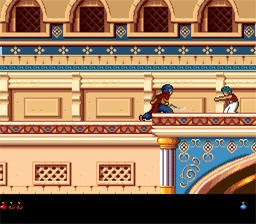
click to enlarge
Prince of Persia 2 Macintosh
Controls, Hotkeys, Cheats
Controls:
- left, numpad 4: left
- right, numpad 6: right
- up, numpad 8: jump up
- down, numpad 2, numpad 5: crouch
- numpad 7: jump left
- numpad 9: jump right
- numpad 1: crouch left
- numpad 3: crouch right
- Control, numpad 0: sword
- Shift, numpad .: step instead of run, drink, pick up, turn with sword
Hotkeys:
- Command+E: go to intro (menu)
- Command+F: fullscreen on/off (menu)
- Command+H: hall of fame (menu)
- Command+M: music on/off (menu)
- Command+N: go to level 1 (menu)
- Command+O: open game (menu)
- Command+Q: quit (menu)
- Command+R: restart level (menu)
- Command+S: save game (menu)
- Command+T: sound on/off (menu)
- Command+V: show version
- Esc: pause
- Space: show remaining time
Powers of Jaffar - Cheat keys:
Hold down the keys 1, 2 and 3 during startup.
You have to press 1 2 3 simultaneously BEFORE the (PoP2) window opens, but AFTER you double click the (PoP2) icon. If done correctly, the window will show:

Accompanied with Jaffar's voice saying: YEAH HAHAHA.
A message appears, "You are worthy of the powers of Jaffar!". Press one of the following keys:
- +: +1 minute left
- -: -1 minute left
- D: show tension
- G: +1 hp for guard. Or +2 hp if you already hurt the guard. Max. 8 hitpoints are visible, but they can have more.
- K: kill guard
- "k" and "G" have to pressed without shift (but "K" needs it), and "D" works either way.
- Shift+B: blind mode on/off
- Shift+D: show tension
- Shift+F: show seq, pos
- Shift+I: upside down on/off
- Shift+K: -1 hp for prince
- Shift+R: show room number
- Shift+S: turn into shadow; same as left-right-left-right... takes 4 hp; works only from level 10. Potions HAVE effects on Mac even if you drink them as a shadow.
- Shift+W: slow fall
- Command+A: resurrect (you also get around 40 frames of invincibility)
- Command+D: set tension level (-1 to 99)
- Command+G: go to level (1 to 14)
- Command+L: next level; outside cheat mode this works until level 4.
- Command+T: more hp (max. 12); this clashes with the hotkey for sound on/off.
- F1: frame-by-frame mode, step with space
- Command+any key will "reset the music".
- If you play level 15 in cheat mode, Jaffar does not appear therefore you can't actually finish the game.
A mighty magician
- If you can't beat Jaffar at the last level do as follows:
- Get much health.
- Use your magic by turning left, right, left, right, left, right, left, right, left, right, left, right, left, right, left, right, left, right, left, right, left, right, left, right, left, right, left, right, left, right, left, right, ... as fast as you can.
- You'll see the difference, you feel the difference, now you are a mighty magician.
Prince of Persia 2 Manuals
Go to download2.html.
Symbol Codes
Lost you manual? Here's a visual sheet for the symbol-codes taken from the manual: (Click to enlarge)

Download PoP2 for Mac
Download Prince of Persia 2 Mac version from here: pop2mac.rar (7.5 MB)
PoP 2 is also here http://www.grenier-du-mac.net/fiches/Jeux/princeofp2.htm (at bottom of the page there are download links)
Prince of Persia CD Collection (DOS and Macintosh 1 & 2)

Now you can download exclusively on popuw.com: Prince of Persia CD Collection (DOS and Macintosh 1 & 2 Full ISO). Thanks to ThunderStorM.
The Prince of Persia CD Collection is a re-release of the original Prince of Persia and PoP 2: The Shadow and the Flame. The package contains both the Windows and MacOS versions of both games on a single hybrid CD.
Download: PRINCECD.ISO (29.3 MB)
Prince of Persia 2 Mac DEMO
http://www.applefritter.com/software/classicgames/pop/index.html
Download 1: pop2demo.sit.hqx
Download 2: pop2.sea.hqx
PoP2 Mac Tools
Prince of Persia 2 saves:
prince-of-persia-2-saves.hqx
Prince of Persia 2 walkthru:
prince-of-persia-2-walkthru.hqx
Play PoP Macintosh versions on Windows
Here is a complete and detailed tutorial for playing Prince of Persia 1 or 2 Macintosh versions on Windows: CLICK HERE.
Play PoP Macintosh versions on Mac OS X
Here is a complete and detailed tutorial for playing Prince of Persia 1 or 2 Macintosh versions on Mac OSX: CLICK HERE.
Prince's PoP 1-Mac/PoP2 sprite sheet
Click on the image to get the full size:

You can also get the sprites alone (separated gif files) from here: popspecial.html
Frame by Frame Sprites
You can get David's frame by frame sprites from here: macsprites.zip
PoP2 Mac Gameplay: Complete Walkthrough
Prince of Persia 2 Mac [1994] Mac Gameplay: Complete Walkthrough (HIGH QUALITY 2020) by ThunderStorM
Played and recorded by ThunderStorM on 16/07/20 - Emulator used: Basilisk II - Recorded with OBS in Full HD resolution (1920x1080) @ 60 fps, 15.000 bitrate.
Link: https://www.youtube.com/watch?v=xM_a-HbQRDs
PoP Macintosh Total Pack
POP MAC Total Pack for PC - contains PoP1, PoP2, tools, editors and other games with Basilisk II system (8.0). Released by adam77.
Download: http://www.mediafire.com/download/7u3dia2003ln2tq/macintosh_package.rar (80.51 MB)
Instructions
1) Download;
2) Extract;
3) Open up the Macintosh Package folder;
4) Open up "BasiliskIIGUI.exe" (** Notice the file name it is NOT "BasiliskII.exe"**);
5) Click on the "RUN[F1]" button in the bottom right hand corner;
6) Click ok on the cd rom error (if you get an error);
7) The emulator should start.
8) The icon for the HD is in the top right hand corner
HERE ARE A LIST OF GAMES ALREADY INSTALLED
A) Prince of Persia 1 - (works) - includes Pop Map editor and POP Cheats.
B) Prince of Persia 2 - (works)
C) Tetris Max -(woks) - by far my favorite tetris game ever.
D) Diamonds - (works) - Awesome game
E) Jewell Box - (works)
F) Movod II - (works)
G) Load Runner - (works)
H) Lemmings - (woks) - Includes Lemmings, Oh No More Lemmings, and Holiday Lemmings
I) Beam Wars - (works)
J) Snake - (works)
K) Columns - (works)
L) Mac Brickout - (Used to love this game and I CANT get it to work. If you do, please let me know how)
M) Crystal Crazy - (Asks me for a disk?)
N) Blox Arcade (opens, but i see no pieces falling?)
O) Crystal Crazy - (works, but I cant quit and get back to main desktop)
P) Bonkheads Deluxe - (Crashed the program, let me know if you get working)
Q) Oids - (Couldn't get to work)
R) Scruffy - (wanted to change to B&W)
* Good Luck and let me know if you find any other games that work with the package. Stuffit expander is in one of the folders.
Regarding PopMap: You have to double click on popmap and then go to file-open and navigate to the pop1 folder where you will find the prince icon. Click on open and it will bring up a list of levels in the game to chose from where you can then edit the level. I guess you should make a copy of the game first so you can preserve the original levels. And PopMap works fine: when you double click on popmac it will look like it disappears, but in reality what happens is the File/Edit etc.. menu items at the top change to be used with the popmap program and that is when you go to file open. and select the pop icon. It does this for many mac applications, I think that is just the way that system 8 works, but I assure you it is there. The same thing happens when you double click on stuffit expander, everything disappears and you have to go to file/ expand.
PoP2 Macintosh built-in level editor
It seems the game has a built-in level editor, check this interesting topic for discussions and more information: http://popuw.com/forum/viewtopic.php?f=11&t=698.
Some screenshots by Pawel Szajna (programmer)


Prince of Persia 2 Macintosh Japanese Version Covers
Thanks to JC Ville (https://rhodblog.wordpress.com/) for the covers. Click to enlarge.
Front Cover:

Back Cover:

Prince of Persia 1 Mac
For Prince of Persia 1 Mac, click here.